STEPS to add SIGNATURES/DISCLAIMER for outgoing mails in outlook :
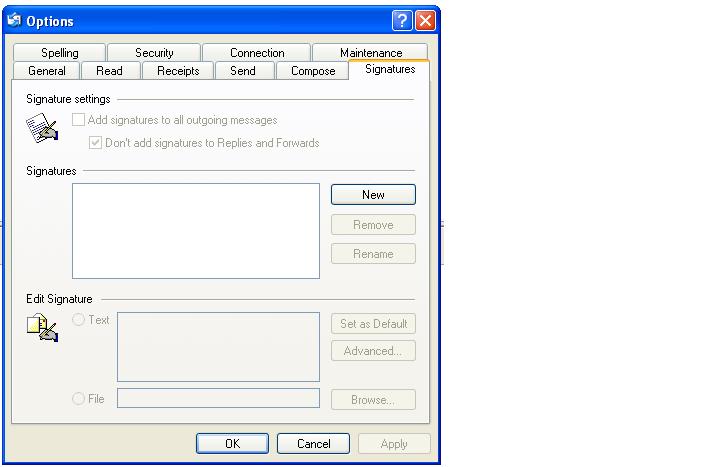
1. Open outlook >> click Tools >> options >> Signatures >> New
2. Enter the disclaimer/signature message and click Apply.

STEPS to add SIGNATURES/DISCLAIMER for outgoing mails in outlook :
1. Open outlook >> click Tools >> options >> Signatures >> New
2. Enter the disclaimer/signature message and click Apply.
