
1.You can take mysql database backup through cpnale.To do so,log into the cpanel >> click on Database section >> phpmyadmin
2.Now phpMyAdmin window opens
3.Now you can select the database that you want to take backup from the drop down list box.
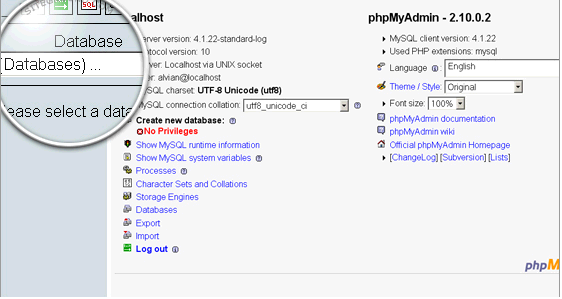
4.A new page will be loaded in phpMyAdmin showing the selected database.To continue backup click on export tab.
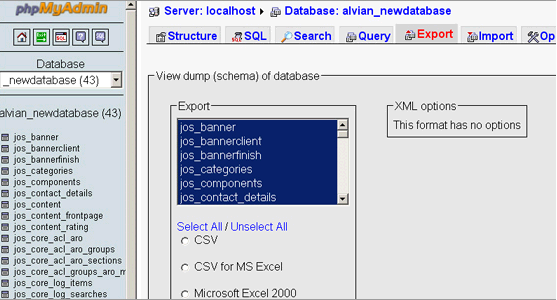
5.NOw save the backup file in your local pc.
6.Now click on the go button to start the backup.
7.A download window will pop up asking for the exact place where you would like to save the file on your local computer.
