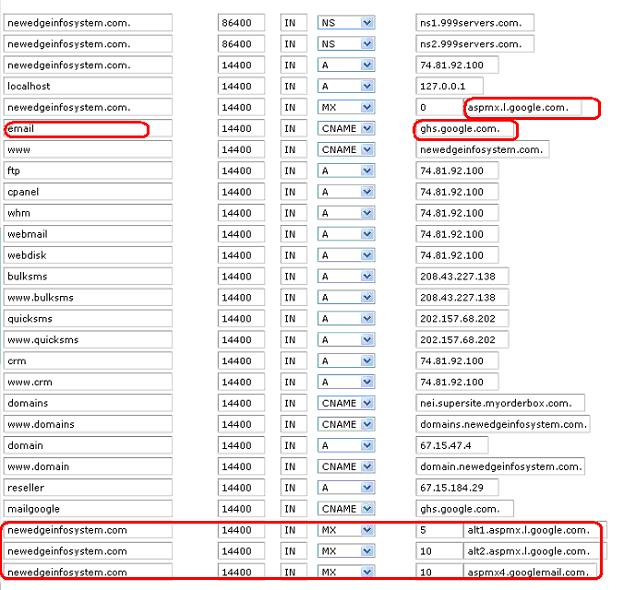
“configure Google ghs”
Login to cpanel as root
Then in DNS functions
Click Edit DNS zone
In 5 entry MX >> mention as aspmx.l.google.com.
In 6 entry change mail to email and change cname as ghs.google.com.
Finally add new entries
Domain name MX 5 alt1.aspmx.l.google.com.
Domain name MX 10 alt1.aspmx.l.google.com.
Domain name MX 10 aspmx4.googlemail.com.