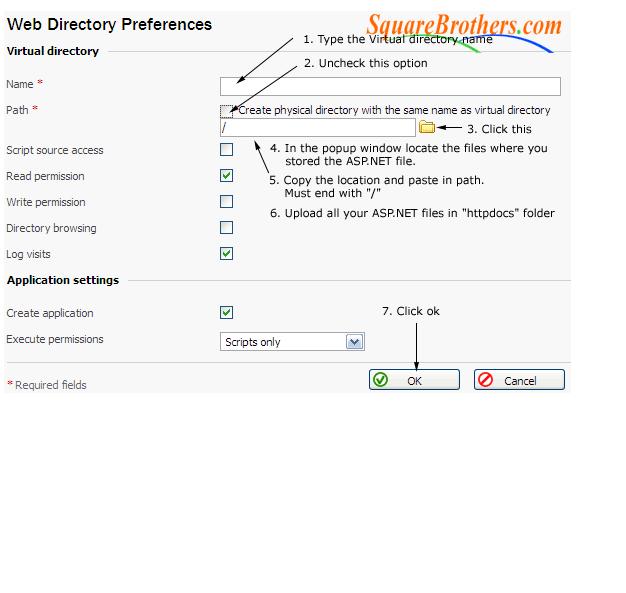
STEPS TO CREATE VIRTUAL DIRECTORY IN PLESK:
1. Login to plesk control panel using the url https://domain name:8443
2. Click home >> Click WEB DIRECTORIES >> Add new virtual directory >> then follow the steps
- Enter virtual directory name
- Enter path name
- Check/uncheck read, write permission
3. Click OK