STEPS TO DOWNLOAD SENT ITEMS FROM OUTLOOK:
1. Open outlook and configure the email account using the same procedure you use for configuring pop3 accounts.
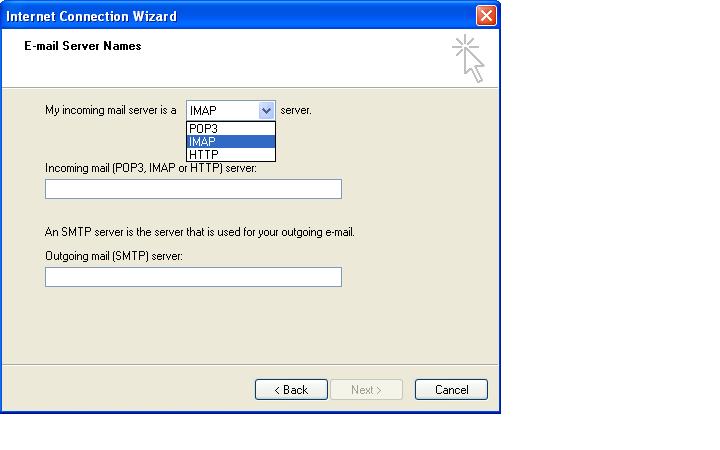
2. While selecting incoming mail server choose IMAP server.

STEPS TO DOWNLOAD SENT ITEMS FROM OUTLOOK:
1. Open outlook and configure the email account using the same procedure you use for configuring pop3 accounts.
2. While selecting incoming mail server choose IMAP server.
