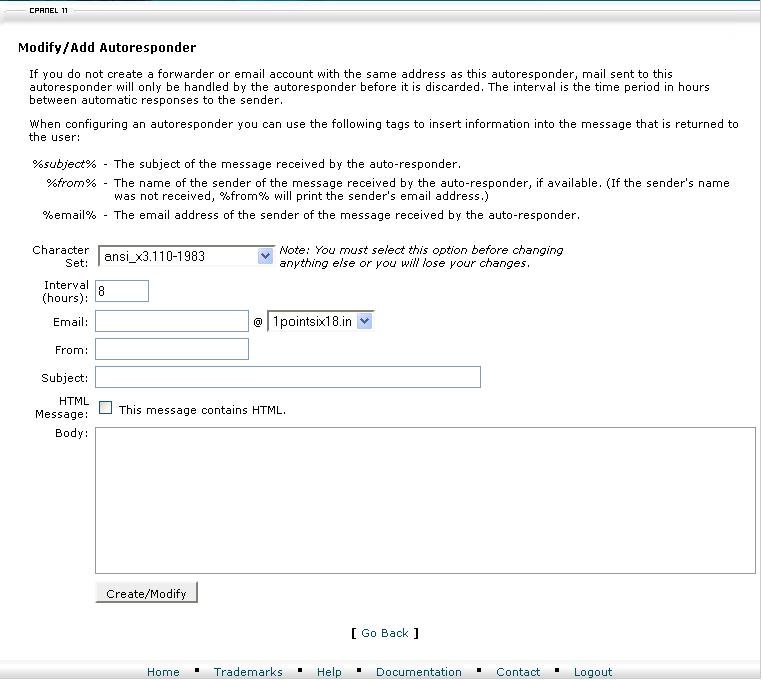
Steps to enable auto responers for mail account:
1. Login to cpanel using url http://domainname/cpanel
2. Select Auto responders >> click add responder >> enter email id , subject , body and >> cleck create/modify
3. Now auto responder will be enabled for your mail account
Whenever someone sends a mail to your account, they will get a auto response.