How to install and configure nagios on centos
Log into the server using ssh
1.Install the following packages on the server
yum install httpd gcc glibc glibc-common gd gd-devel php
Create Nagios User account and group[root@server1 ~]#useradd -m nagios
groupadd nagcmd
usermod -a -G nagcmd nagios
usermod -a -G nagcmd apache
Download Nagios and recompile it:-
cd /usr/src
wget http://downloads.sourceforge.net/project
tar xzf nagios-3.0.6.tar.gz
cd nagios-3.0.6
./configure –with-command-group=nagcmd
make all
Install Nagios Web Interface:
make install-webconf
Create the nagios user:
htpasswd -c /usr/local/nagios/etc/htpasswd.users nagiosadmin
Restart Apache:
service httpd restart
Open the httpd conf file and add the nagios.conf file location to the include path.
vi /usr/local/apache/conf/nagios.conf
ScriptAlias /nagios/cgi-bin “/usr/local/nagios/sbin”
<Directory “/usr/local/nagios/sbin”>
Options ExecCGI
AllowOverride None
Order allow,deny
Allow from all
AuthName “Nagios Access”
AuthType Basic
AuthUserFile /usr/local/nagios/etc/htpasswd.users
Require valid-user
</Directory>
Alias /nagios “/usr/local/nagios/share”
<Directory “/usr/local/nagios/share”>
Options None
AllowOverride None
Order allow,deny
Allow from all
AuthName “Nagios Access”
AuthType Basic
AuthUserFile /usr/local/nagios/etc/htpasswd.users
Require valid-user
</Directory>
Download and install nagios plugin
cd /usr/src
wget http://downloads.sourceforge.net/project/nagiosplug
tar xzf nagios-plugins-1.4.13.tar.gz
cd nagios-plugins1.4.13
install the nagios plugin
configure nagios email address
vi /usr/local/nagios/etc/objects/contacts.cfg
email nagios@localhost ; <<– CHANGE THIS TO YOUR EMAIL ADDRESS
Enable Nagios to start at system startup / boot
service nagios start
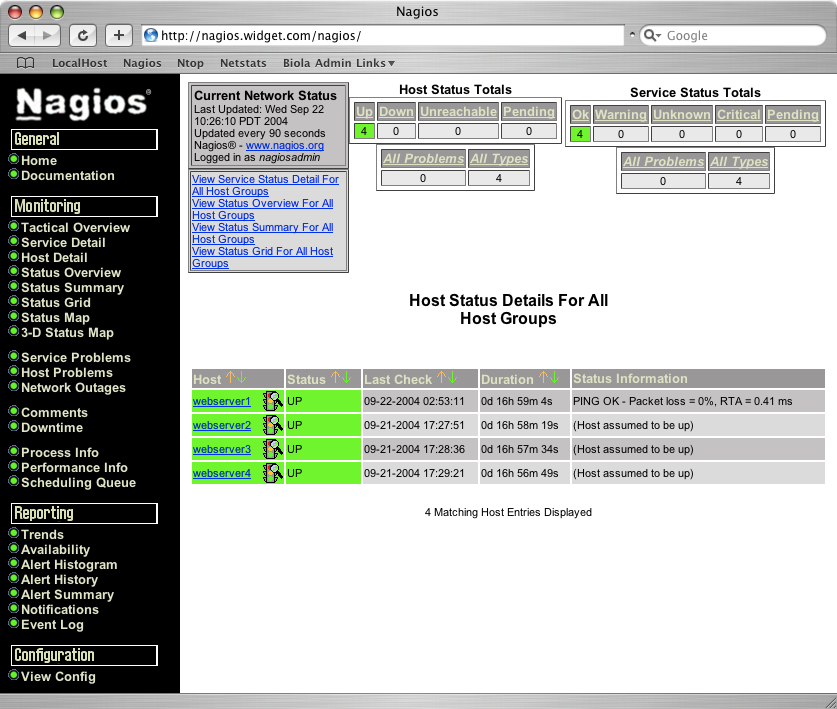
Access the web interface now:-
http://ip-address/nagios/