
How to install phpmyadmin
1.Download the phpmyadmin software
wget http://http://www.phpmyadmin.net/home_page/downloads.php/phpmyadmin-3.30-eng-zip
2.Extract the file.
3.Upload the file using ftp client
4.Place the software in the location where you want to use phpmyadmin
5.Now creatre the mysql database,create the database username and add the user to that database.
6.Now load the PhpMyAdmin page using the corresponding url
http://yourdomainname
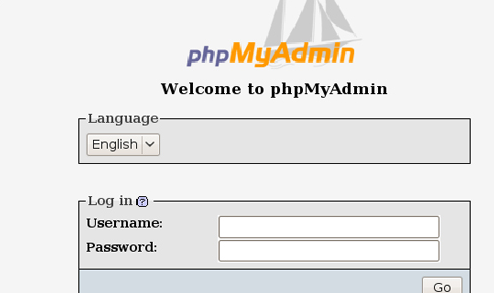
7.Enter the database username and the password.In this way you can manage all the database which has all privilages.
