
Follow the below steps to install wordpress with fantastico
1.Log into the cpanel http://domainname/cpanel and navigate to the fantastico icon
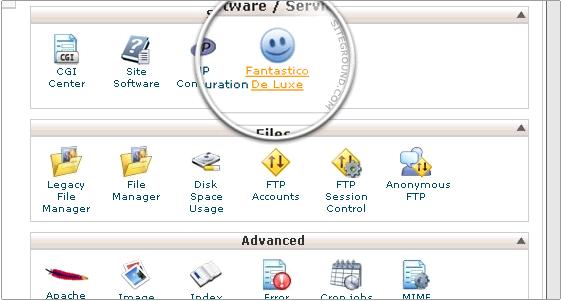
2.A fantastico window opens,select the word press and click ok
3.Select new installation on the wordpress window.
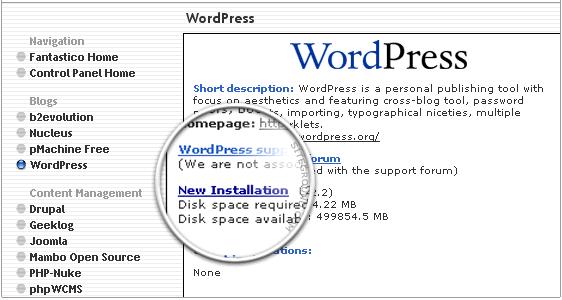
4.Now the administration window opens,Give your name that appears to be on the blog.If you don want the blog name,give this space blank.
5.In the email address section give your email id.
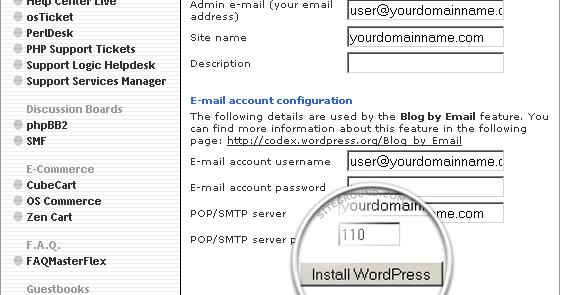
After filling all the admin details clcik on install wordpress.
6.A new windows opens with installation.click on finish installation to complete the word press installation.
7.Now the wordpress in successfully installed.
