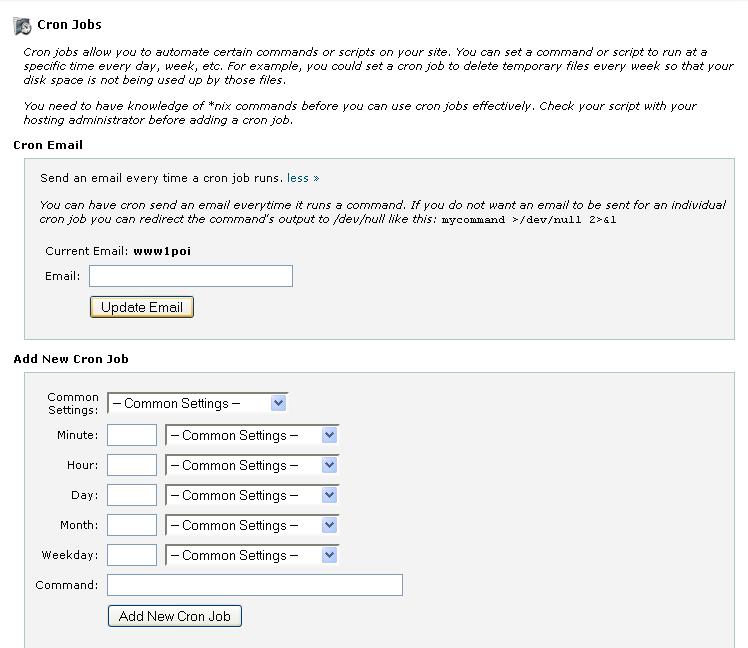
STEPS TO ADD CRON JOB IN CPANEL:
1. Login to cpanel using the url >> http://domainname/cpanel
2. Click Cron jobs
3. enter the path name and mention the time specifications (minutes,hour,daily,days,weekly) and enter the email id
so that you will get the cron job completion info to your mail.