
how to use mail option in control panel
1.Log into the control panel
2.click on the mail option.
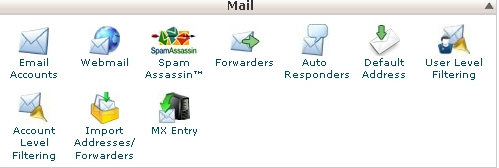
3. Email accounts – allows you to create e-mail accounts, define passwords and quotas for them
4.Webmail- allows you to access the webmail (Horde, Squirrelmail and RoundCube)
5.Spam Assassin – is an automated email filtering system that attempts to identify spam messages
6.Forwarders – using e-mail forwarders will allow you to send copies of messages from one e-mail account to another
7.Autoresponders – setting auto responder emails.
8.MX entery – you can change the MX records for your domain.
