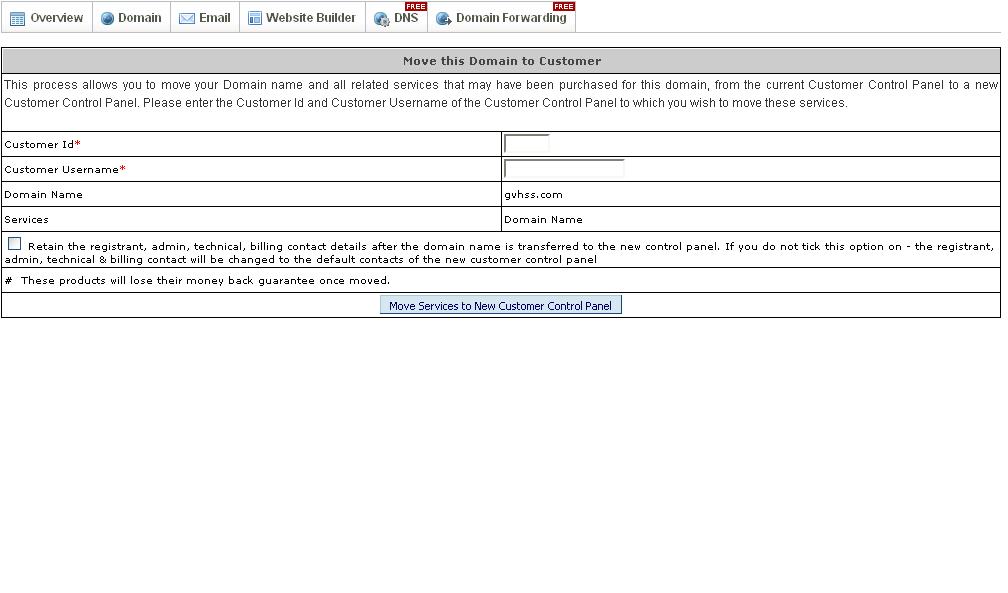
Steps to move domain from one customer account to another customer account:
1. Login to the domain control panel using the link http://squarebrothers.com/customer
2. Under Jump to domain >> enter domain name >> select domain registration service >> click to cart
3. Click Move Services
4. Enter the Customer id and user name to which to are trying to move the domain.
5. Click ok >> domain will be moved to new customer account within 5 minutes.
Steps to move domain from one customer account to reseller account:
1. Login to reseller domain control panel using http://squarebrothers.com/reseller
2. In menu bar >> select customer >> Click add >> create the customer account under your reseller account
3. Then follow the steps to move domain from one customer panel to another customer panel