If the php files not working in windows means,do the following steps.
1.Log into the plesk control panel
2.click on setup option.
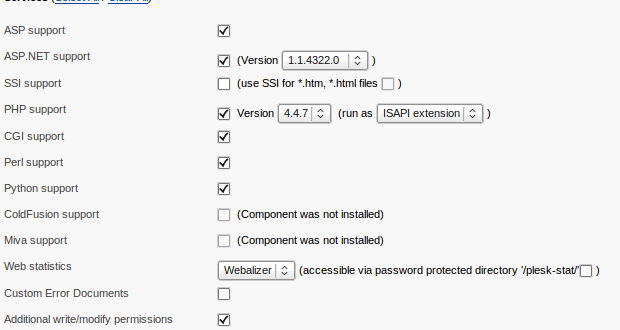
3.Under services,choose php support >> select version and run as ISAPI extension.
4.click OK

If the php files not working in windows means,do the following steps.
1.Log into the plesk control panel
2.click on setup option.
3.Under services,choose php support >> select version and run as ISAPI extension.
4.click OK
