1. Login to whm root panel using the url >> http://domain name/whm
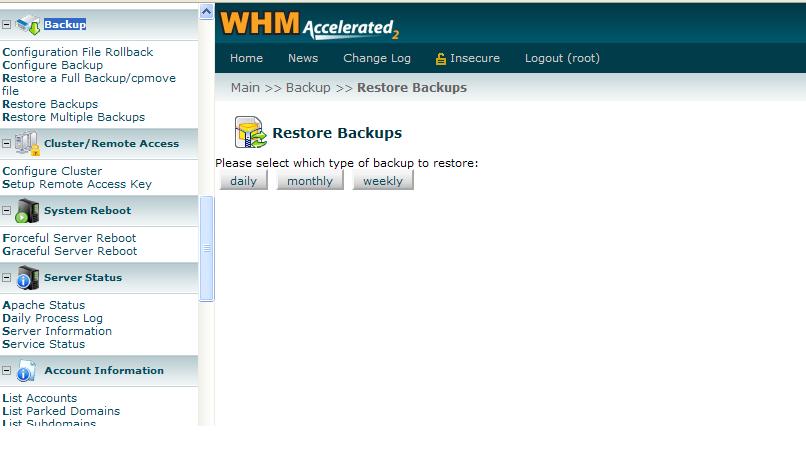
2. Search for Backup >> here you will get many options as listed below
- Configuration File Rollback
- Configure Backup
- Restore a Full Backup/cpmove file
- Restore Backups
- Restore Multiple Backups
3. Select any option in the above listed >> it will ask for an option as to restore daily or weekly or monthly backup.
4. Choose an appropriate option and click start restore button
5. The contents will be restored.